 Reelsmith
Add Subtitles to Video Online
Add subtitles to video online for free: auto-generate captions from speech on your device, edit them, and burn them in or download an .srt file.
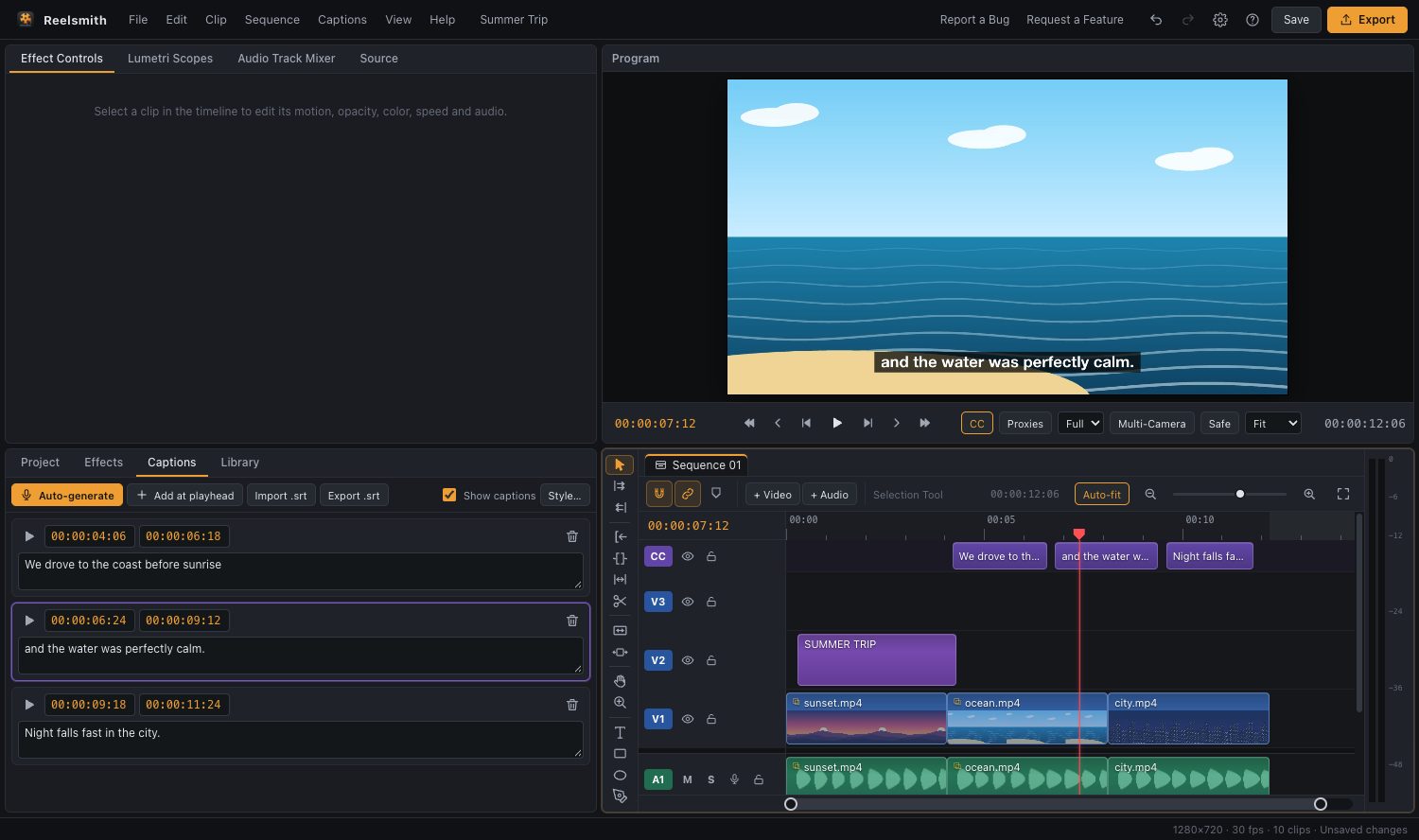
Add subtitles to any video in your browser. Reelsmith listens to the speech, writes the captions for you and lets you fix, style and export them — free, with no upload and no watermark.
How to add subtitles to a video
- Click Open the tool above and import your video.
- Drag it onto the timeline.
- Open the Captions tab and click Auto-generate. Choose the language (21 are listed) or Detect automatically.
- Click any caption to correct a word, then click Style… to set the size, colour and background box.
- Click Export and choose Burn into the video, Save as an .srt file only, or both.
Why use this subtitle generator
- Private: speech recognition runs on your computer. Your audio is never uploaded.
- Accurate when it matters: pick Small for accents and noisy audio, or Tiny when you need speed.
- Translate to English: tick Translate the captions into English for speech in another language.
- Edit like a pro: captions sit on their own CC track, so you can drag them to fix timing.
Burned-in subtitles or an .srt file?
Burned-in subtitles always show and suit TikTok, Reels and Shorts. An .srt file is a separate subtitle track for YouTube or Vimeo that viewers can switch on and off.
Questions
Is it free to add subtitles to a video?
Yes — no account, no time limit, no watermark.
Can I add an existing .srt file instead?
Yes. Choose Captions ▸ Import Captions (.srt)….
Does it work on a phone?
Yes, in a mobile browser. Generating is slower on phones, so start with the Tiny or Base model.
The full guide with screenshots: how to add subtitles to a video automatically. Reference: Captions and subtitles.