 Reelsmith
Resize Video for TikTok, Reels and YouTube
Resize video for TikTok, Reels, Shorts, Instagram or YouTube: switch to 9:16, 1:1 or 4:5, fill the frame and export at the right size — free, online.
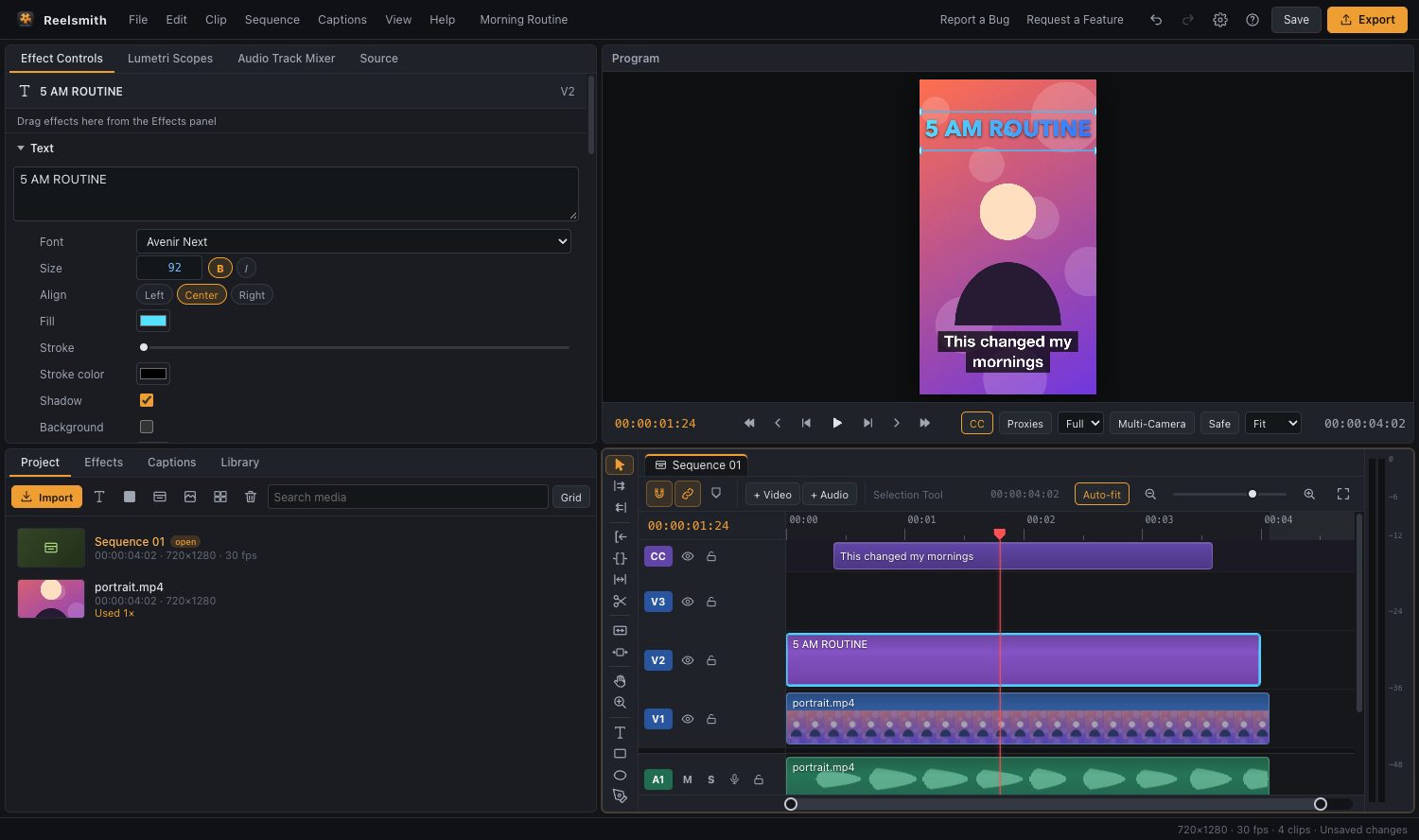
Every platform wants a different shape. Resize your video to 9:16 for TikTok, Reels and Shorts, 1:1 or 4:5 for the Instagram feed, or 16:9 for YouTube — and export at exactly the right size.
Sizes at a glance
- TikTok, Reels, YouTube Shorts: 1080×1920 (9:16)
- Instagram square: 1080×1080 (1:1)
- Instagram portrait: 1080×1350 (4:5)
- YouTube: 1920×1080 (16:9) or 3840×2160 for 4K
How to resize a video
- Click Open the tool above.
- Click Sequence Settings and pick a preset, for example Vertical 9:16 (1080×1920).
- Import your video and drag it onto the timeline.
- Select the clip and raise Scale in Effect Controls ▸ Motion until it fills the frame. Drag it in the Program monitor to keep the subject in view.
- Click Export and choose the matching preset, such as YouTube Shorts / Reels / TikTok (9:16).
Keep the whole picture
Don't want to cut anything off? Apply Background Blur Fill from Effects ▸ Creative Effects. The full picture stays visible and the empty space is filled with a blurred copy. See add a blurred background.
Questions
Can I just change the export size?
Yes — the export Frame size list has landscape, vertical and square sizes. Changing the sequence first lets you see and frame the result.
Does resizing add a watermark?
No. Exports are free and never watermarked.
Step-by-step guide: how to make vertical videos for Shorts, Reels and TikTok. Reference: Sequence settings and frame size.