 Reelsmith
Merge Videos Online
Merge videos online for free: join clips in any order, add transitions between them and export one MP4. Runs in your browser — nothing is uploaded.
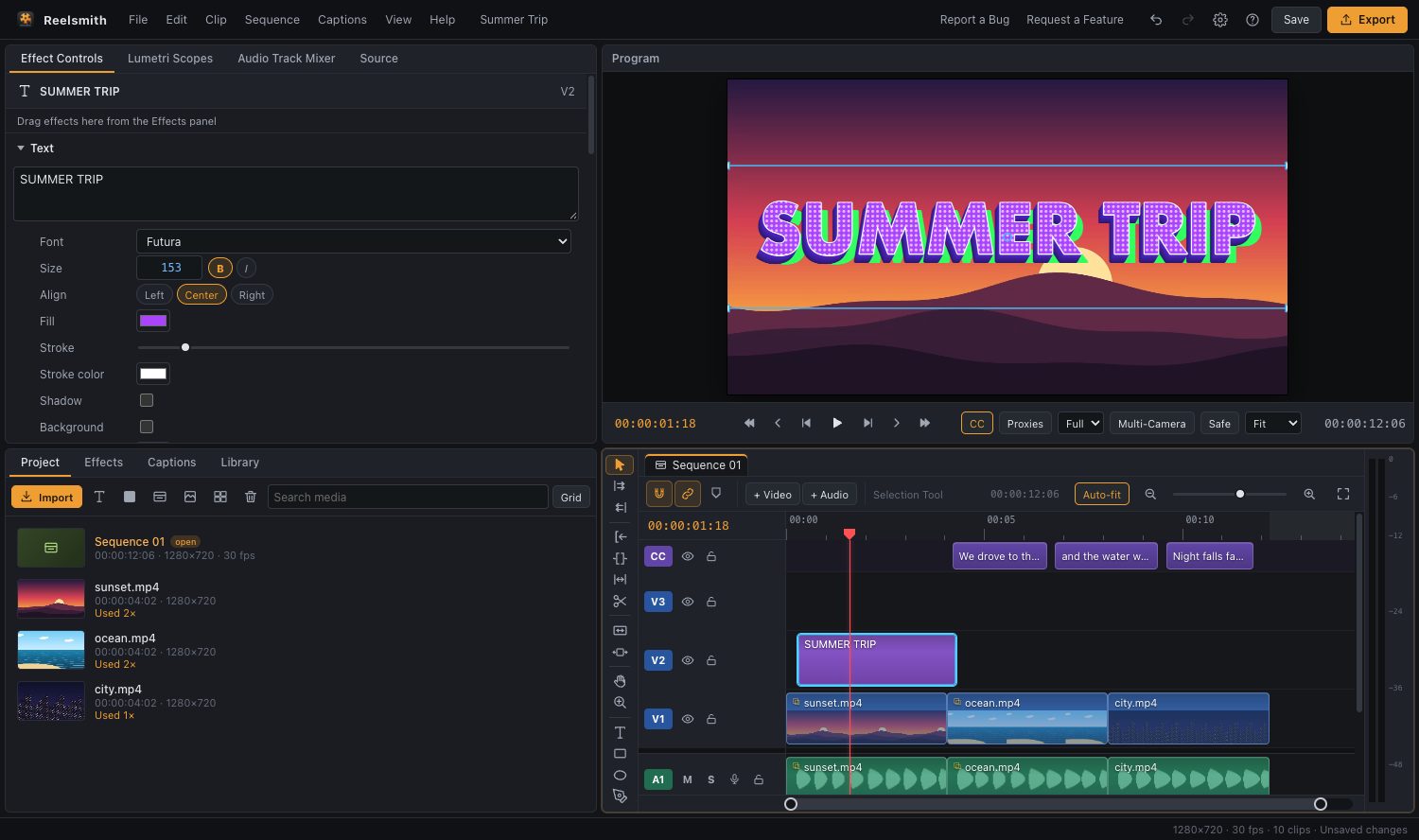
Combine several clips into one video. Put them in order on the timeline, add a transition if you like, and export a single MP4 — free, in your browser, with nothing uploaded.
How to merge videos
- Click Open the tool above and import all your clips. You can select several files at once.
- Drag the clips onto the timeline, one after another, in the order you want.
- To reorder, drag a clip to a new place. To close a gap, right-click it ▸ Ripple Delete Gap.
- Optional: drag a transition from Effects ▸ Video Transitions (for example Cross Dissolve) onto the cut between two clips.
- Click Export.
Merging clips of different sizes
The first video you add sets the frame size. Clips with a different shape are centred in the frame. Select one and use Effect Controls ▸ Motion ▸ Scale to fill the frame, or apply Background Blur Fill from Effects ▸ Creative Effects to fill the sides with a blurred copy.
Make the joins smooth
- Add Constant Power from Effects ▸ Audio Transitions to fade the sound across a cut.
- Use Clip ▸ Normalize Loudness… so every clip is equally loud.
- Keep transitions short (about half a second) so the video keeps moving.
Questions
Can I merge videos with different formats?
Yes. MP4, MOV, WebM and MKV can be combined on one timeline, and the export is a single MP4 or WebM.
Is there a limit to how many videos I can merge?
No fixed limit. Long 4K projects are smoother on a computer with plenty of memory.
Will my videos be uploaded?
No. Everything happens on your device.
More: Timeline basics and Transitions.