 Reelsmith
Add Text to Video Online
Add text to a video online: type titles, captions and labels, pick a style, animate it word by word and export — free in your browser, no watermark.
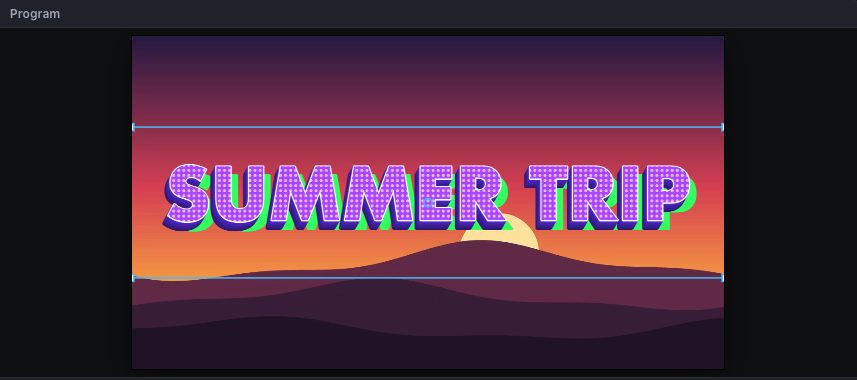
Put a headline, a name, a label or a call to action on your video. Type it, style it, animate it and export — free, in your browser.
How to add text to a video
- Click Open the tool above and import your video.
- Drag it onto the timeline.
- Press T, click on the video in the Program monitor and type. Click outside the text when you're done — or click Add title.
- Set the font, size, colour, outline and background box in Effect Controls ▸ Text.
- Drag the text clip's edges on the timeline to set how long it stays, then click Export.
Make it stand out
- Text Styles: double-click a style in Effects ▸ Text Styles — Retro Pop 3D, Neon, Gradient Bold, Sticker Outline and more.
- Title Templates: ready-made animated titles such as Lower Third, Chapter Title and Call to Action.
- Animations: drag Words Pop, Typewriter or Fade Up from Effects ▸ Animations onto the text.
- Highlight a word: wrap it in asterisks, like
Make it *pop*.
Questions
Can I add text to only part of the video?
Yes. A text clip shows only while it is on the timeline; drag its edges to set the timing.
Can I add text to a vertical video?
Yes. Click Safe in the Program monitor to keep text away from the app's buttons.
Full guide: how to make animated text and 3D titles. Reference: Titles.
Try it now — free, no sign-up.Reelsmith runs in your browser. Your videos are never uploaded.
Open the editor